Build the day’s list.
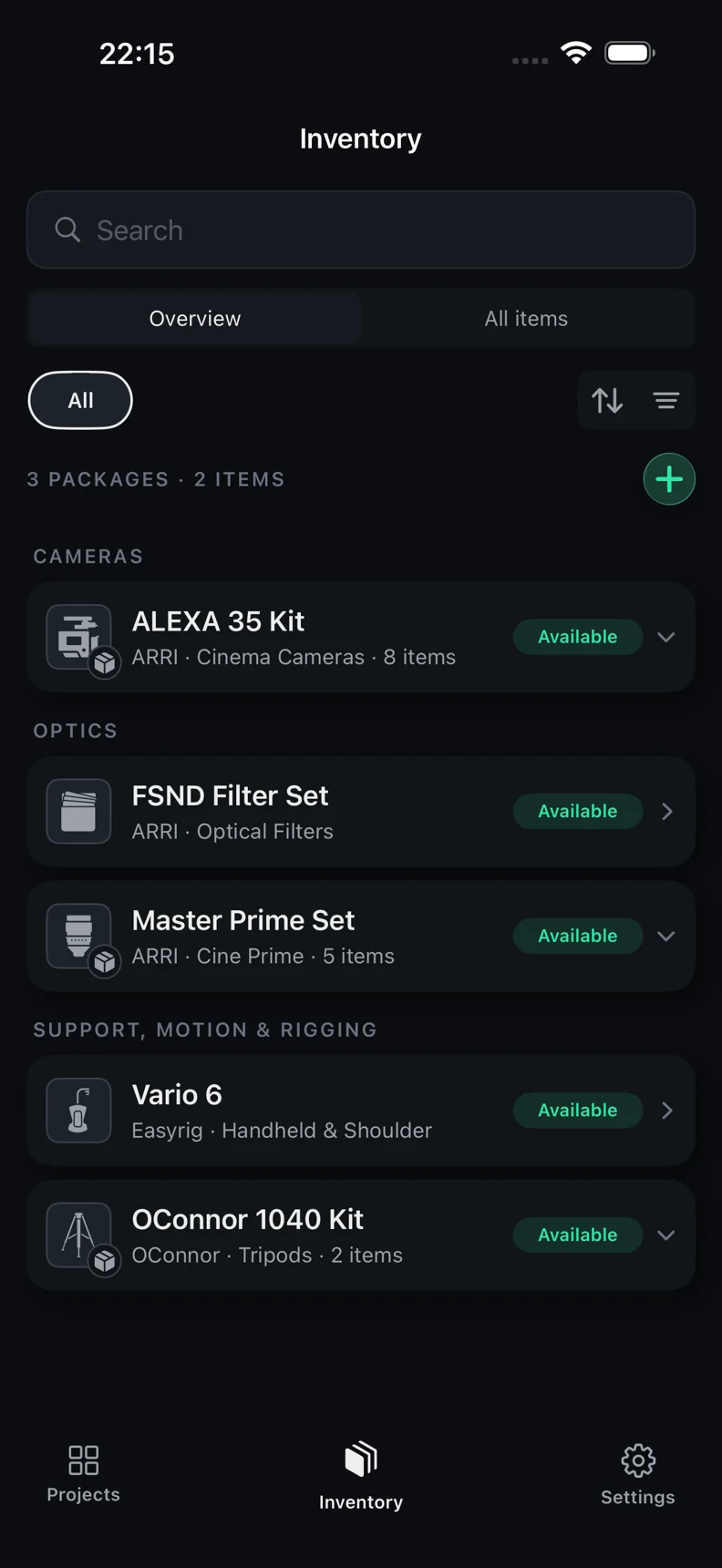
Start with your inventory. Bring items, packages, and cases together, then choose what goes out on each shoot day.
Currently in closed TestFlight
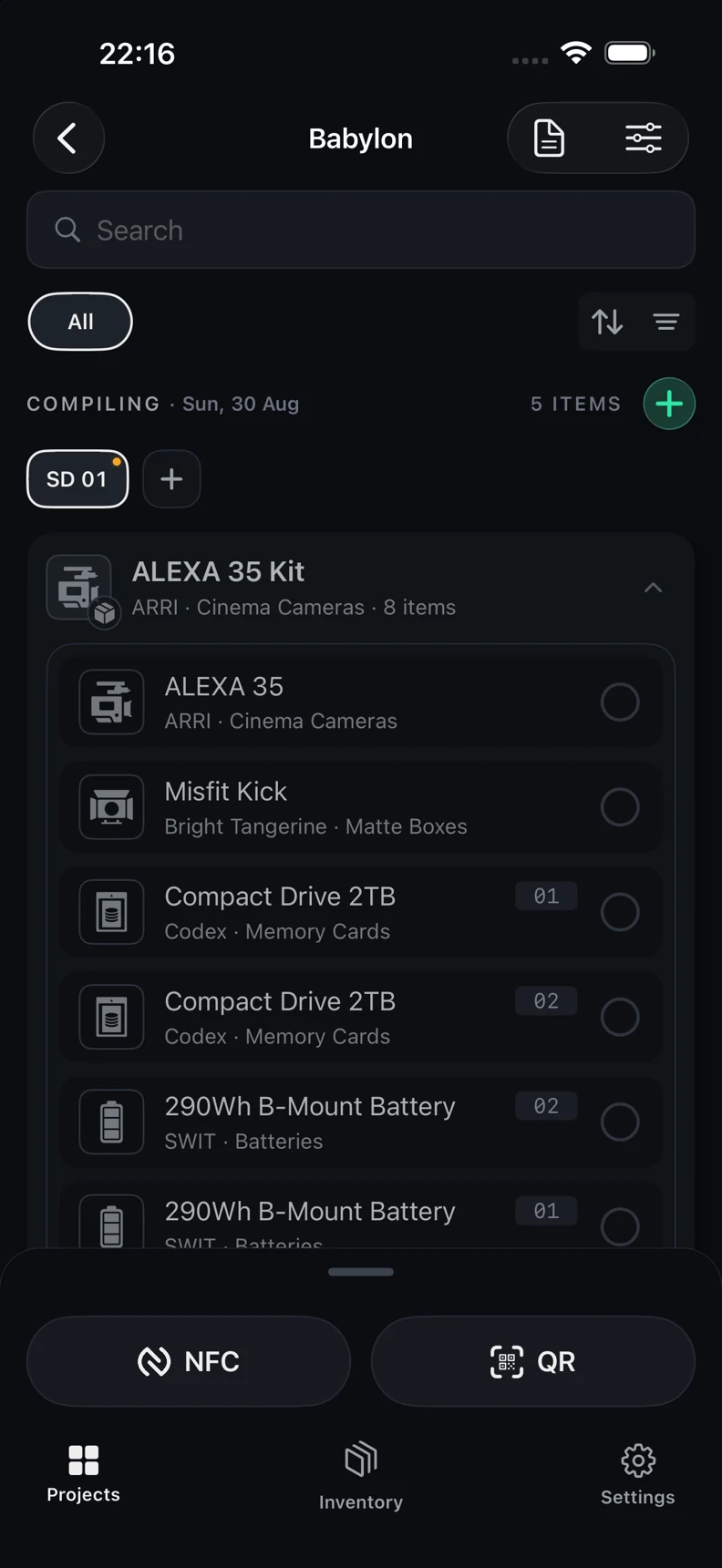
Build each shoot day’s equipment list. Tag your gear with NFC or QR. Verify it out and back, with a report to show for it.
Built for iPhone. Built for the camera department.
 FROM PREP TO WRAP.
The workflow
For camera departments, ACs, and anyone who signs for the gear. Follow the kit from the first list to the final return.
Start with your inventory. Bring items, packages, and cases together, then choose what goes out on each shoot day.
Write an NFC tag or print a QR label. A tap or scan identifies the gear and brings you straight to its details.
Verify gear as it leaves and returns. Keep missing and set-aside equipment visible in the day’s report.
Inside C.I.T.
Keep the detail close, whether you’re preparing a package or checking the last case at wrap.
Screens from the beta. Details may change before launch.
Ready when the signal isn’t
The core inventory and gear-check workflow works offline. No account to create, no cloud sync to wait for. Export backups and reports when you need them.
Read the privacy policyWhy C.I.T.
A shoot day has enough moving parts. Keeping track of the kit should be a clear, repeatable part of the job.
C.I.T. is built around one practical workflow: compile the day, identify the gear, and verify it out and back. It’s currently being refined through closed TestFlight testing.
Good to know
C.I.T. is currently in closed TestFlight testing. A public release date hasn’t been set. Get launch updates to hear when it becomes available.
The current test group is closed and isn’t accepting access requests. Join the launch list to hear when C.I.T. becomes publicly available.
The current beta is built for iPhone and requires iOS 26 or later. Final launch requirements will be confirmed before release.
No. You can build lists and verify gear by hand. Compatible NFC tags and printed QR labels add a way to identify and check equipment by tapping or scanning.
The core inventory, list, and verification workflow works on your device without an internet connection. Online maps, address lookup, and external services may need a connection.
Your inventory and project data stays in the app’s local storage. The current app has no account system or cloud sync. Export backups to keep a separate copy of your data. See the privacy policy for details.
Yes. C.I.T. supports inventory exports, backups, labels, and project reports. You choose where to save or share exported files.
Launch pricing hasn’t been announced. Pricing and what’s included will be published here before the public release.
Next up: the public release
Get an email when C.I.T. is ready to launch.
Joining the launch list doesn’t reserve TestFlight access.